Beyond Vibe Coding: Building Reliable Workflows with Claude Code Skills
cuongkane
@cuongkane
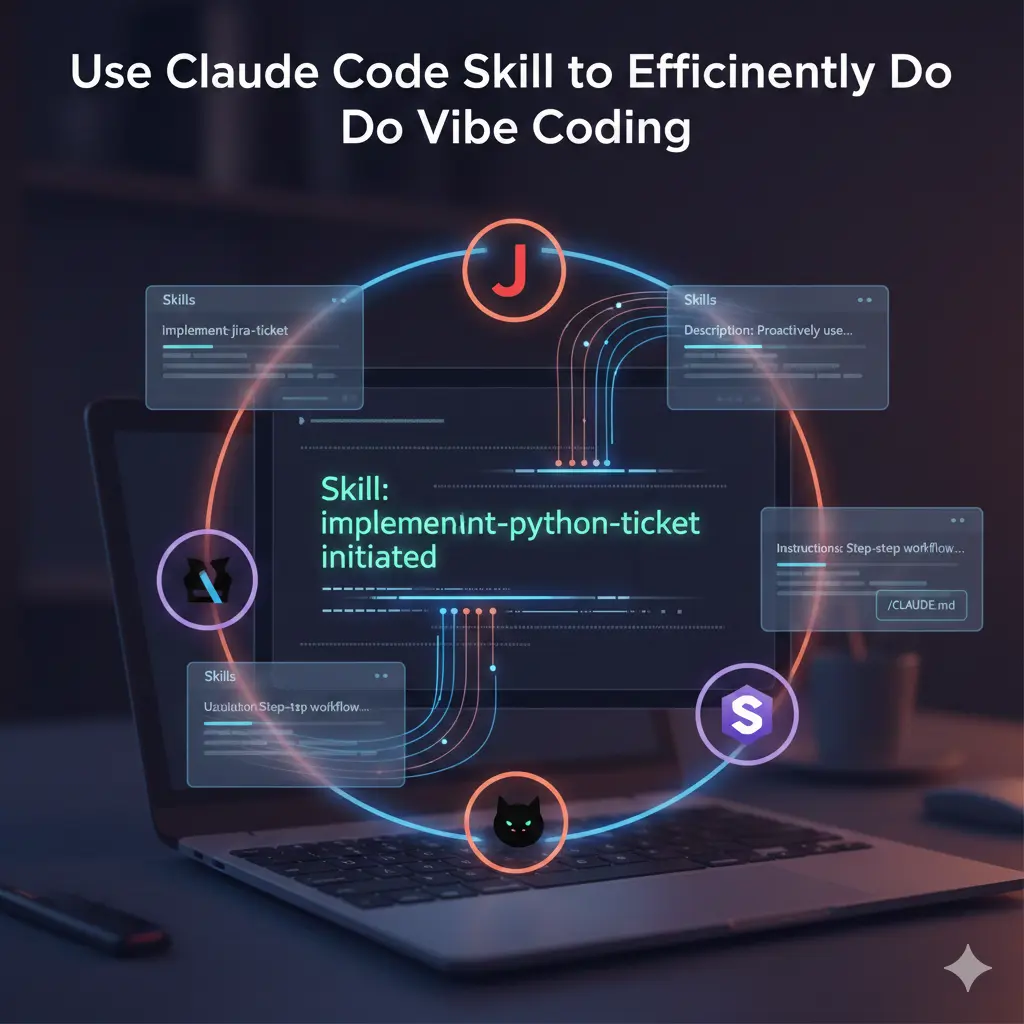
Context
We are living in an exciting era of AI-assisted development. Claude Code has emerged as a powerful CLI tool that transforms how developers interact with codebases. Unlike traditional autocomplete tools, Claude Code understands context, executes commands, reads files, and can even make complex multi-file changes autonomously.
Think of Claude Code as a highly capable assistant who just joined your team. They're intelligent and eager to help, but they don't know your team's conventions, your coding standards, or your preferred workflows. You could explain everything from scratch each time—or you could create a comprehensive onboarding document that captures all this knowledge.
As teams adopt Claude Code, a critical question emerges: How do we ensure consistent, high-quality outputs across different developers and tasks?
This is where Skills become essential—structured instruction sets that guide Claude Code through specific tasks with precision and consistency.
Terminologies
Before diving deeper, let's clarify the key terms used throughout this post:
| Term | Definition |
|---|---|
| Claude Code | Anthropic's official CLI tool for AI-assisted development. It can read files, execute commands, and make code changes autonomously. |
| Skill | A structured set of instructions that guides Claude Code through a specific task. Skills have a name, description, and step-by-step workflow. |
| Subagent | An isolated Claude Code process spawned to handle a specific subtask. Subagents have their own context window, preventing the main session from being overwhelmed. |
| Context Window | The amount of conversation history and file content Claude Code can "remember" at once. Managing this is critical for complex tasks. |
| MCP (Model Context Protocol) | A protocol that allows Claude Code to connect to external services like Jira, Confluence, Sentry, and databases. |
| Confirmation Gate | A checkpoint in a skill workflow where Claude Code pauses and requires explicit user approval before proceeding. |
| CLAUDE.md | A special markdown file that Claude Code automatically reads for project-specific conventions, commands, and guidelines. |
Problem Setup
The Challenges of AI-Assisted Development
When teams start using Claude Code for complex tasks, several problems emerge:
1. Inconsistent Outputs
Without structured guidance, different team members get different results for similar tasks. One developer might get a well-structured implementation following team conventions, while another gets a technically correct but stylistically inconsistent solution.
2. Knowledge Fragmentation
Your team has accumulated valuable knowledge:
- Coding conventions and patterns
- Testing standards
- Internal libraries and utilities
- Review and approval workflows
This knowledge lives in documentation, Confluence pages, and tribal knowledge. Claude Code doesn't automatically know about these resources.
3. Context Window Limitations
Complex tasks require reading many files, understanding patterns, and planning implementations. Without careful management, the context window gets overwhelmed—leading to forgotten details and inconsistent implementations.
4. Repetitive Instructions
For common workflows like "implement a Jira ticket," developers find themselves repeating the same instructions:
- "First read the ticket from Jira"
- "Check the acceptance criteria"
- "Look at similar implementations"
- "Follow our testing patterns"
This is inefficient and error-prone.
The Scaling Challenge
As your organization grows, these problems multiply:
- More developers using Claude Code
- More conventions to follow
- More internal tools to leverage
- More complex workflows to execute
You need a systematic solution—not just better prompts.
Solution: Claude Skill
What Are Skills?
Skills are collections of instructions that tell Claude Code what to do for specific tasks. They consist of three critical components:
| Component | Purpose |
|---|---|
| Name | Clear identifier that describes the skill's purpose |
| Description | Explains when the skill should be used—Claude Code reads this to determine applicability |
| Instructions | Step-by-step workflow with phases, checkpoints, and expected outputs |
The Skill Architecture
┌─────────────────────────────────────────────┐
│              SKILL INVOCATION               │
├─────────────────────────────────────────────┤
│  User: "implement HORIZON-1234"             │
│                                             │
│  Claude Code reads skill descriptions       │
│  → Matches implement-python-ticket skill    │
│  → Loads skill instructions                 │
│  → Begins structured workflow               │
└─────────────────────────────────────────────┘
Key Architectural Principles
1. Phase Separation
Skills break complex tasks into distinct phases with clear boundaries. Each phase has a specific purpose, defined inputs, and expected outputs.
2. Confirmation Gates
Critical transitions require explicit user approval before proceeding. This prevents cascading errors and ensures alignment.
3. Subagent Isolation
Heavy exploration tasks (reading many files) are delegated to subagents with their own context windows. This prevents the main session from being overwhelmed.
4. Recovery Points
Important outputs (like implementation plans) are saved to files, allowing restart without losing progress.
Practical Skills
Implement Python Ticket Skill
This skill guides Claude Code through a systematic workflow from Jira ticket analysis to tested code.
Workflow Overview
┌─────────────────────────────────────────────────────────────┐
│                   IMPLEMENTATION WORKFLOW                   │
└─────────────────────────────────────────────────────────────┘

Phase 0: Authentication & Environment
   ↓ Verify MCP connection, detect project type

Phase 1: Ticket Analysis
   ↓ Fetch ticket, identify gaps in requirements

Phase 2: Requirement Clarification
   ↓ Clarify business requirements (NO code reading yet)
   ↓ ┌─────────────────────────────────────┐
     │    REQUIREMENT CONFIRMATION GATE   │
     │  User confirms understanding       │
     └─────────────────────────────────────┘

Phase 3: Codebase Exploration & Planning (SUBAGENT)
   ↓ ┌─────────────────────────────────────┐
     │  SUBAGENT: Explore → Plan → Approve │
     │                                     │
     │  • Discover patterns from code      │
     │  • Create implementation plan       │
     │  • Present plan to user             │
     │  • Handle revision if needed        │
     │  • Return only when approved        │
     └─────────────────────────────────────┘
   ↓ Save plan to docs/{TICKET_ID}-{slug}.md

Phase 4: Implementation
   ↓ Execute approved plan, match patterns

Phase 5: Testing & Verification
   ↓ Write tests, verify acceptance criteria

Result: Working code + tests + ready for PR
Phase Walkthrough
Phase 0: Authentication & Environment
Before any work begins, the skill verifies prerequisites:
- MCP Authentication: Checks the Atlassian MCP connection
- Project Detection: Identifies Django, Kafka, or generic Python projects
- Context Loading: Locates
CLAUDE.mdfiles and shared utility directories
Phase 1-2: Ticket Analysis & Requirement Clarification
The skill fetches the Jira ticket and performs structured analysis:
- Extract information: Issue key, title, description, acceptance criteria
- Assess completeness: Are requirements clear? Are acceptance criteria testable?
- Clarify gaps: Ask questions about behavior, edge cases, and business context
- GATE: Requires explicit user confirmation before proceeding
Key principle: Questions about WHAT needs to be built belong here. Questions about HOW (code locations, patterns) belong in Phase 3.
Phase 3: Codebase Exploration & Planning
This phase uses Programmatic Tool Calling—the skill defines templates that automatically invoke Claude Code's tools:
Task(
  description: "Explore and plan for {TICKET_ID}",
  subagent_type: "Plan",
  model: "opus",
  prompt: <structured template with variables>
)
The subagent:
- Explores codebase for patterns, conventions, and similar implementations
- Loads pattern references from Confluence documentation
- Creates structured implementation plan
- Gets user approval (iterates until approved)
- Saves plan to
docs/{TICKET_ID}-{slug}.md
Phase 4-5: Implementation & Testing
With an approved plan:
- Follow the approved step order
- Match discovered patterns and conventions
- Write tests using AAA pattern (Arrange → Act → Assert)
- Verify all acceptance criteria
Investigate Sentry Issue Skill
This skill transforms Sentry error investigation from ad-hoc debugging into a systematic process with documented findings.
Workflow Overview
┌─────────────────────────────────────────────────────────────┐
│                  INVESTIGATION WORKFLOW                     │
└─────────────────────────────────────────────────────────────┘

Phase 1: Environment Check
   ↓ Verify Sentry MCP authentication

Phase 2: Sentry Analysis
   ↓ Fetch issue details, extract stacktrace

Phase 3: Code Exploration (SUBAGENT)
   ↓ ┌─────────────────────────────────────┐
     │  SUBAGENT: Explore codebase         │
     │                                     │
     │  • Read stacktrace files            │
     │  • Trace code flow                  │
     │  • Identify potential root causes   │
     │  • Find related patterns            │
     └─────────────────────────────────────┘

Phase 4: Write Report
   ↓ Compile investigation findings

Phase 5: User Review
   ↓ ┌─────────────────────────────────────┐
     │       APPROVAL GATE                 │
     │  User reviews and approves report   │
     └─────────────────────────────────────┘

Phase 6: Save & Decide
   ↓ Save report, ask about Jira ticket

Phase 7: Create Ticket (Optional)
   ↓ Create Jira bug with investigation details

Result: Documented investigation + optional Jira bug
Phase Walkthrough
Phase 1-2: Environment Check & Sentry Analysis
- Verify Sentry MCP is authenticated
- Parse Sentry URL to extract issue/event IDs
- Fetch issue details: error type, message, stacktrace, event count, affected users, environment, tags, breadcrumbs
- Summarize findings for the exploration subagent
Phase 3: Code Exploration
Uses subagent to avoid context bloat:
Task(
  description: "Explore code for Sentry issue",
  subagent_type: "Explore",
  prompt: <substituted template with stacktrace info>
)
The subagent reads stacktrace files, traces code flow, and identifies potential root causes.
Phase 4-5: Write Report & User Review
Compile findings into structured report:
- Executive Summary
- Error Details
- Root Cause Analysis
- Affected Areas
- Reproduction Steps (if determinable)
- Recommended Fixes
- Impact Assessment
GATE: Do NOT proceed without explicit approval.
Phase 6-7: Save & Optional Jira Creation
- Save report to
docs/sentry-investigations/{ISSUE_ID}-investigation.md - Ask if user wants to create Jira bug ticket
- If yes: create ticket with investigation details via Atlassian MCP
Guardrails
| Rule | Why |
|---|---|
| Verify MCP first | Avoid wasted effort |
| Use subagent for exploration | Prevent context bloat |
| Require report approval | Ensure accuracy |
| Confirm before Jira creation | Side effect control |
| User chooses Jira project | Team flexibility |
Good Practices
Based on Anthropic's official recommendations and practical experience:
1. Invest in Naming and Description
The skill name and description determine whether Claude Code invokes the skill correctly:
| Quality | Example |
|---|---|
| Poor | "python-helper" |
| Good | "implement-jira-ticket" |
| Description | "Proactively use when user wants to implement a Jira ticket (e.g., 'implement HORIZON-1999', 'work on PROJ-123')" |
2. Design Clear Phase Boundaries
- Phase separation: Don't mix requirements gathering with code exploration
- Clear handoffs: Define what each phase produces and what the next phase expects
- Checkpoints: Add confirmation gates at critical transitions
3. Use Subagents for Heavy Exploration
When a task requires reading many files:
Task(
  description: "Explore and plan for TICKET-123",
  subagent_type: "Plan",
  model: "opus",
  prompt: <structured template>
)
Benefits: isolated context window, enables extended thinking, supports revision without re-exploration.
4. Encode Your Team's Knowledge
Reference your actual documentation:
- Confluence pages with coding patterns
- Internal library documentation
- Team conventions and standards
5. Build in Recovery Points
Save important outputs (like implementation plans) to files for restart capability and audit trails.
6. Follow the Explore → Plan → Code → Commit Pattern
- Explore: Read relevant files without writing code
- Plan: Create documented plan before implementation
- Code: Implement with explicit verification steps
- Commit: Document changes properly
7. Be Specific in Instructions
Instead of: "Add appropriate tests"
Specify: "Write tests using AAA pattern. Name tests test_should_{behavior}_when_{scenario}. Cover all acceptance criteria behaviors. Target 80%+ coverage."
8. Test with Two Claude Sessions
┌─────────────────────────────────────────────────────────────┐
│                  TWO-SESSION TESTING STRATEGY               │
├─────────────────────────────────────────────────────────────┤
│                                                             │
│  Session 1: SKILL DEVELOPMENT          Session 2: TESTING   │
│  ┌─────────────────────────┐          ┌─────────────────┐   │
│  │ • Write skill code      │          │ • Run example   │   │
│  │ • Edit instructions     │   ───►   │   tasks         │   │
│  │ • Refine based on       │   ◄───   │ • Observe       │   │
│  │   feedback              │          │   behavior      │   │
│  └─────────────────────────┘          └─────────────────┘   │
│                                                             │
└─────────────────────────────────────────────────────────────┘
This separation prevents skill-writing context from interfering with skill-testing context.
Lesson Learnt
1. Claude is Already Smart—Don't Over-Explain
The initial investigate-sentry-issue draft was 326 lines with detailed explanations. After applying "concise is key," it reduced to 147 lines.
Before (verbose):
## Phase 1: Environment Check

**Intent**: Ensure Sentry MCP is properly configured before starting investigation.

### Steps

1. **Check Sentry MCP connection**: Call `mcp__sentry__whoami` to verify authentication.
...
After (concise):
## Phase 1: Environment Check

1. Verify Sentry MCP is authenticated
2. If fails → stop and ask user to configure MCP
3. Check for `CLAUDE.md` for project conventions
Claude knows what MCP authentication means. The skill only needs to specify what to do, not how to explain it.
2. Avoid Hardcoding External Dependencies
MCP tool names like mcp__sentry__whoami are implementation details that can change.
Fragile: Use mcp__sentry__get_issue_details with the full URL
Resilient: Fetch issue using Sentry MCP
Claude knows how to use available MCP tools. Describe intent, not implementation.
3. Description Drives Skill Discovery
The description field is critical—Claude reads it to decide which skill to trigger.
Before:
description: Investigates Sentry issues by fetching error details...After:
description: Proactively use when user wants to investigate a Sentry issue (e.g., "investigate this sentry issue", "check sentry error", "debug this sentry", or provides a sentry.io URL)...The pattern Proactively use when... (e.g., "trigger phrase 1", "trigger phrase 2") explicitly tells Claude when to activate.
4. Eliminate Duplication Ruthlessly
The initial draft had both a "Workflow Overview" diagram and a "Progress Checklist"—essentially the same information twice. Consolidate into one element serving both purposes.
5. Review Against the Official Checklist
Anthropic provides a comprehensive checklist for skill quality:
| Check | Criteria |
|---|---|
| Description specific with triggers | Include example phrases |
| Third person description | "Use when user wants..." |
| Under 500 lines | Concise is key |
| Progressive disclosure | Phase structure |
| One-level deep references | Avoid nested complexity |
| Copyable checklist | Track progress |
| No hardcoded dependencies | Intent over implementation |
6. Start with Existing Patterns
Rather than inventing structure from scratch, examine existing skills for:
- Description format
- Phase structure with gates
- Subagent usage patterns
- Template organization
Consistency across skills makes them easier to maintain.
Conclusion
Claude Code skills transform AI-assisted development from a novelty into a reliable engineering practice. By encoding your team's knowledge, standards, and workflows into structured instructions, you achieve:
- Consistency: Every implementation follows the same high-quality process
- Efficiency: No more repeating instructions or losing context
- Scalability: New team members benefit from accumulated expertise immediately
- Quality: Built-in checkpoints and standards prevent common mistakes
The implement-python-ticket and investigate-sentry-issue skills demonstrate these principles: from ticket analysis through tested code, each phase has clear purpose, the workflow manages complexity through subagents, and team standards are enforced automatically.
As your team adopts Claude Code, investing in well-designed skills pays dividends across every task they handle. Start with your most common workflows, encode your best practices, and iterate based on results.
The future of development isn't just AI-assisted—it's AI-augmented with your team's collective intelligence.
Thanks to Mr. Khang Nguyen (ParcelPerform CTO) for facilitating me to complete my knowledge about Claude skill